

How does JavaScript work with this?
JavaScript objects are powerful data structures that allow you to organize related data into a single unit. Objects consist of key-value pairs, where the key is a string and the value can be any JavaScript data type (number, string, array, function, etc.). Objects provide an excellent way to structure and manipulate data. We encounter objects in many ways in our daily lives. Here are some examples of where objects can be found:
- E-commerce – Online stores use objects to represent products, which have properties such as name, price, stock status, description, category, etc.
- Hotel reservations – Hotels use objects to represent reservations, where each reservation object may contain data such as customer name, dates, room type, price calculations, etc.
- Cars – Each car can be an object with different attributes such as make, model, color, engine size, registration number, etc.
- Students – Each student could be an object with properties nagu nimi, vanus, klass, hinded, osalemised, tegevused jne.
In JavaScript programs, it is possible to create custom objects as needed, as well as use built-in objects provided by JavaScript itself. Some built-in objects are, for example:
- The Math object contains mathematical functions and constants. It is often used to perform mathematical calculations such as rounding, square root, trigonometric functions, etc.
- The Date object allows you to work with dates and times. It can be used to create new date objects, access date components (such as day, month, year), and perform various operations between dates.
- The Array object is a built-in object used to create and manipulate arrays. It contains several methods that allow you to work with arrays, such as adding, removing, sorting, filtering, etc.
- The String object contains methods that allow you to work with strings. For example, you can use methods such as length (to get the length), toUpperCase (to use uppercase letters), substring (to get a substring), etc.
- The Object object is the base object in JavaScript that is used as the basis for all objects. Its methods can be used to create objects, add and access properties, copy objects, etc.
Creating an object
The syntax of an object consists of key-value pairs, where the key is a string and the value can be any JavaScript data type. In this example, an object named “car” has been created with the following properties:
The syntax of an object consists of key-value pairs, where the key is a string and the value can be any JavaScript data type. In this example, an object named “car” has been created with the following properties:
let auto = {
mark: "Toyota",
mudel: "Corolla",
aasta: 2022,
varv: "punane",
lisavarustus: ["kliimaseade", "elektriaknad", "navigatsioonisüsteem"]
};
// calling
console.log(auto);
To print, print the entire object:
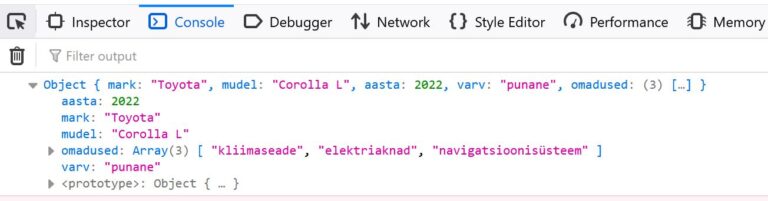
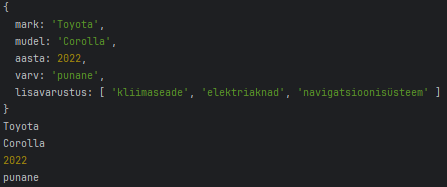
console.log(auto.mark); // Output: "Toyota"
console.log(auto.mudel); // Output: "Corolla"
console.log(auto.aasta); // Output: 2022
console.log(auto.varv); // Output: "punane"
console.log(auto.omadused); // Output: ["kliimaseade", "elektriaknad", "navigatsioonisüsteem"]
Object methods and using this
Objects in JavaScript can contain not only properties, but also methods. Methods are functions of an object that can manipulate the object’s properties or perform other operations in the context of the object. The this keyword is used within methods to refer to the object in which the method is called. Let’s create a method for the previous car object that displays the car’s full name. In order for the method to use the properties of the same object, we must use the this keyword.
let autoOM = {
    //omadused
    mark: "Toyota",
    mudel: "Corolla L",
    aasta: 2022,
    varv: "punane",
    omadused: ["kliimaseade", "elektriaknad", "navigatsioonisüsteem"],

    //meetodid
    taisnimi: function() {
        return this.mark + " " + this.mudel;
    }
};

console.log(autoOM.taisnimi());

Method shortening
The new JavaScript ES6 now allows methods to be written in a shorter form.
//meetodid
  taisnimi() {
    return this.mark + " " + this.mudel;
  }
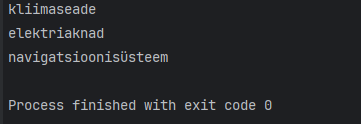
If the properties are in an array, use a for or forEach loop.
let auto = {
  //omadused
  mark: "Toyota",
  mudel: "Corolla L",
  aasta: 2022,
  varv: "punane",
  omadused: ["kliimaseade", "elektriaknad", "navigatsioonisüsteem"],

  //meetodid
  taisnimi() {
    return this.mark + " " + this.mudel;
  },

  kuvaOmadused() {
    this.omadused.forEach(omadus => console.log(omadus));
  }
};

auto.kuvaOmadused();
Object arrays
An object array is a data structure in JavaScript that consists of several objects arranged in order based on an index. Each object is a collection of key-value pairs, where the key is unique and the value is the data of the key-value pair. An object array can contain various data types, including text (string), numbers, boolean values, functions, other objects, etc.
Creating and displaying an array of objects
Creating an array of objects is relatively simple. Let’s start by storing car data, for example. Each car is represented as an object that contains information about the car’s make, model, and year of manufacture.
let autod = [
  { mark: 'Toyota', mudel: 'Corolla', aasta: 2007 },
  { mark: 'Honda', mudel: 'Civic', aasta: 2012 },
  { mark: 'Tesla', mudel: 'Model 3', aasta: 2019 }
];

console.log(autod);
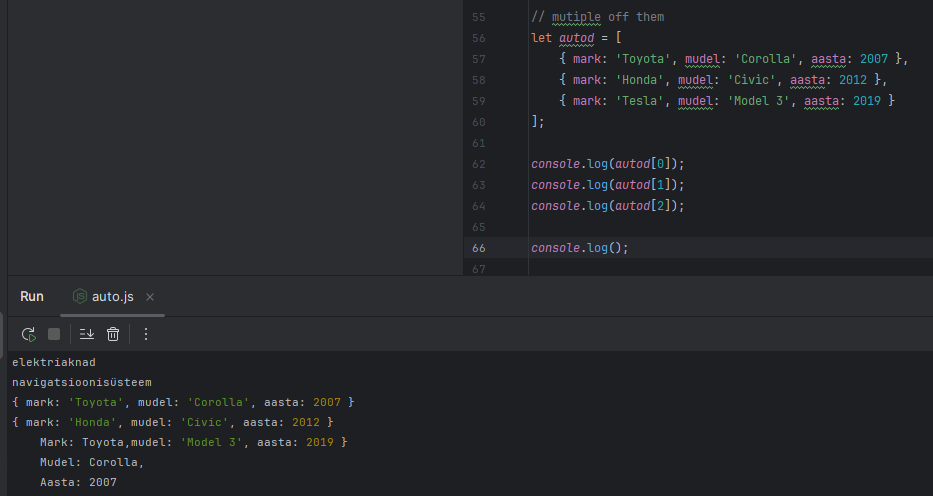
If we want to see the data for a specific car, we can refer to the car’s position in the array (remember that array indexing starts at 0)
console.log(autod[0]);
And in this object, I can access the elements using “dot syntax,” as above.
console.log(autod[0].mark);
To view all models, we again use the forEach loop
let autod = [
  { mark: 'Toyota', mudel: 'Corolla', aasta: 2007 },
  { mark: 'Honda', mudel: 'Civic', aasta: 2012 },
  { mark: 'Tesla', mudel: 'Model 3', aasta: 2019 }
];


autod.forEach((auto) => {
  console.log(`
    Mark: ${auto.mark},
    Mudel: ${auto.mudel},
    Aasta: ${auto.aasta}
    `);
});
Object array methods
JavaScript array methods can be used with both regular arrays and object arrays. Methods such as push(), pop(), shift(), unshift(), splice(), slice(), forEach(), map(), filter(), reduce(), sort(), etc. can all be used regardless of whether the array contains simple data types (such as strings or numbers) or more complex data (such as objects or even other arrays).
This is because arrays are objects in JavaScript, and both simple data types and objects are stored in arrays in the same way. The type of data contained in an array does not affect array methods. For example, adding new objects to an array of objects using push and unshift.
let autod = [
    { mark: 'Toyota', mudel: 'Corolla', aasta: 2007 },
    { mark: 'Honda', mudel: 'Civic', aasta: 2012 },
    { mark: 'Tesla', mudel: 'Model 3', aasta: 2019 },
    { mark: 'BMW', mudel: '320i', aasta: 2015 },
    { mark: 'Ford', mudel: 'Focus', aasta: 2020 }
];

//Lisab uue objekti massiivi lõppu
autod.push({ mark: 'BMW', mudel: '320i', aasta: 2015 });
autod.unshift({ mark: 'Ford', mudel: 'Focus', aasta: 2020 });
The splice method simultaneously deletes and adds.
massiiv.splice(
  {start indeks},
  {mitu eemaldada},
  {mida lisada}
);
For example
//Eemaldab esimese objekti
autod.splice(0,1);
//Lisab objekti alates teisest indeksist, ei kustutata midagi
autod.splice(1,0,{ mark: 'Audi', mudel: 'A4', aasta: 2018 });
Searching in an array
To search in an array of objects, we use the find method, which requires a function to be executed. We use the arrow function because it is shorter.
//Otsimine
let otsing = autod.find(auto=>auto.aasta > 2018);
console.log(otsing);
This method finds the first match and returns it. If no match is found, undefined is returned. To set multiple conditions, use the && operator.
//Otsimine
let otsing = autod.find(auto=>auto.aasta > 2018 && auto.mark === "Tesla");
console.log(otsing);

Since find only finds one result, use the filter method to get multiple answers. The filter creates a new array from the array and outputs the elements that match the conditions.
For example, we have numbers and want to get even numbers from them
let arvud = [1, 2, 3, 4, 5, 6, 7, 8, 9, 10];

const filtreeritud = arvud.filter(arv => arv % 2 === 0);
console.log(filtreeritud);
In the case of cars, we can turn to auto.aasta, for example, and filter those that are newer than 2018.
//Filtreerimine
let filter = autod.filter(auto=>auto.aasta > 2018);
console.log(filter);
Sorting an array
As a final method, let’s look at sorting. Simple sorting does not work correctly for arrays of objects. Therefore, we need to use a comparison function.
autod.sort((a, b) => a.aasta - b.aasta);
console.log(autod);
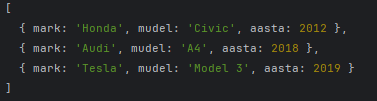
Here, (a, b) => a – b is a comparison function that tells sort() to sort numbers by their actual numerical values rather than their string values. The function a – b returns a negative value if a is less than b, a positive value if a is greater than b, and 0 if a and b are equal – exactly what sort() needs to sort its elements correctly.
Task
Book object
Create a book object with at least three properties: title, author, year.
let raamat = {
  pealkiri: 'kuritegu ja karistus',
  autor: 'Fyodor Dostoevsky',
  aasta: 1866
};
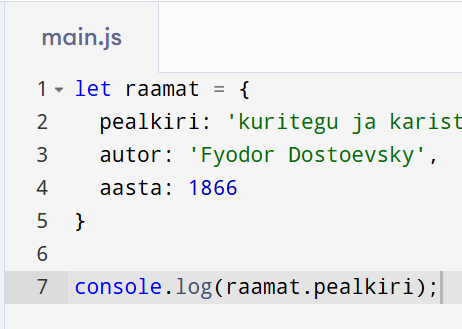
2. Add a method that displays the description of the first book.
console.log(raamat.pealkiri);
Answer:
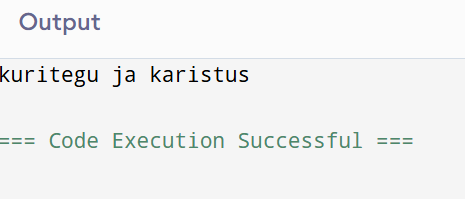
3. Add a method that changes the year of publication and prints the results to the console.
crime and punishment amended in 2020
let raamat = {
  pealkiri: 'Kuritegu ja karistus',
  autor: 'Fyodor Dostoevsky',
  aasta: 1866
};

raamat.muudaAasta = function() {
  this.aasta = 2020;
  console.log(this.aasta);
};

raamat.muudaAasta();
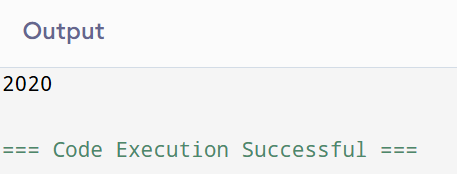
Library
Create an object library with books as its properties (an array of books).
let raamatukogu = [
  { pealkiri: 'läänerindel on kõik vaikne', autor: 'Erih Remark', aasta: 1928},
  { pealkiri: 'Sipsik', autor: 'Eno Raud', aasta: 1962},
  { pealkiri: 'Jevgeni Onegin', autor: 'Aleksandr Pushkin', aasta: 1833}
];
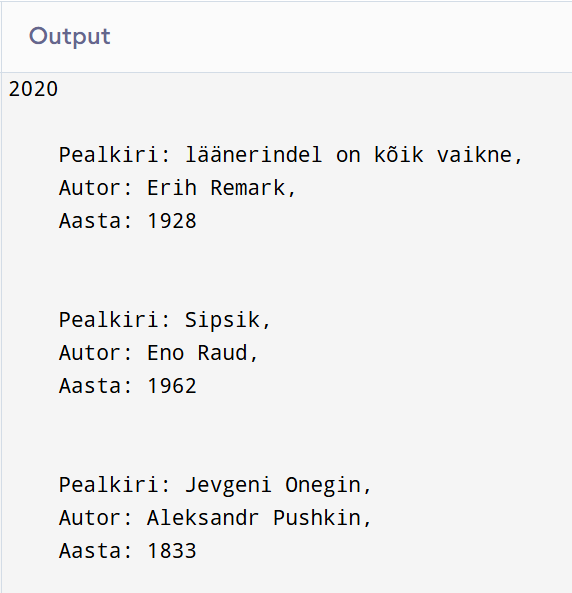
2. Add a method that displays all books nicely in the console.
raamatukogu.forEach((raamatud) => {
  console.log(`
    Pealkiri: ${raamatud.pealkiri},
    Autor: ${raamatud.autor},
    Aasta: ${raamatud.aasta}
    `);
});
3. Add a method that adds a new book.
raamatukogu.push({ pealkiri: 'midagi', autor: 'keegi', aasta: 2025 });
4. Add a method that displays the total number of books in the library.
console.log(raamatukogu.length)

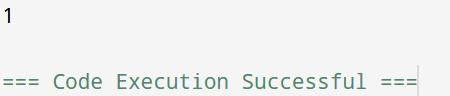
5. Add a method that calculates how many books have been published since 2000.
let filter = raamatukogu.filter(raamatukogu=>raamatukogu.aasta > 2000);
console.log(filter.length);
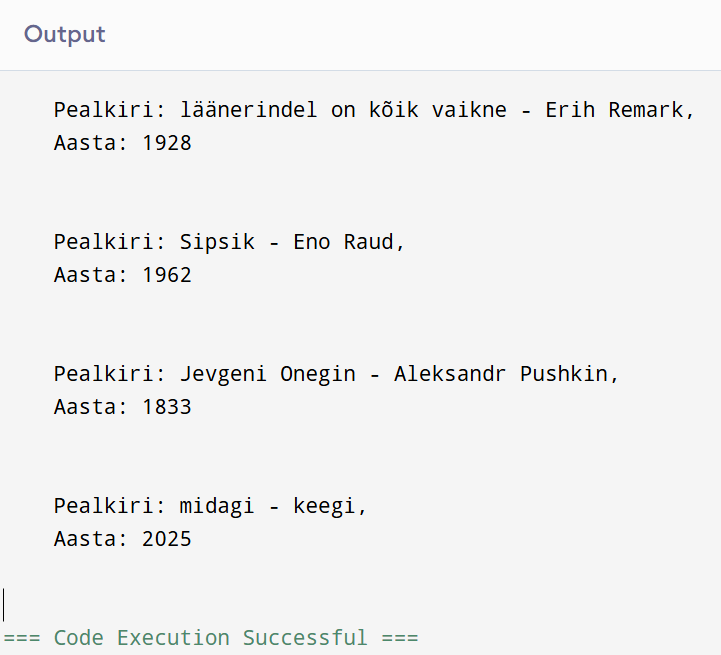
6. Develop your own method and write down what it means.
raamatukogu.forEach((raamatud) => {
  console.log(`
    Pealkiri: ${raamatud.pealkiri + " - " + raamatud.autor},
    Aasta: ${raamatud.aasta}
    `);
});
Raamatute andmed
How it looks in webstorm
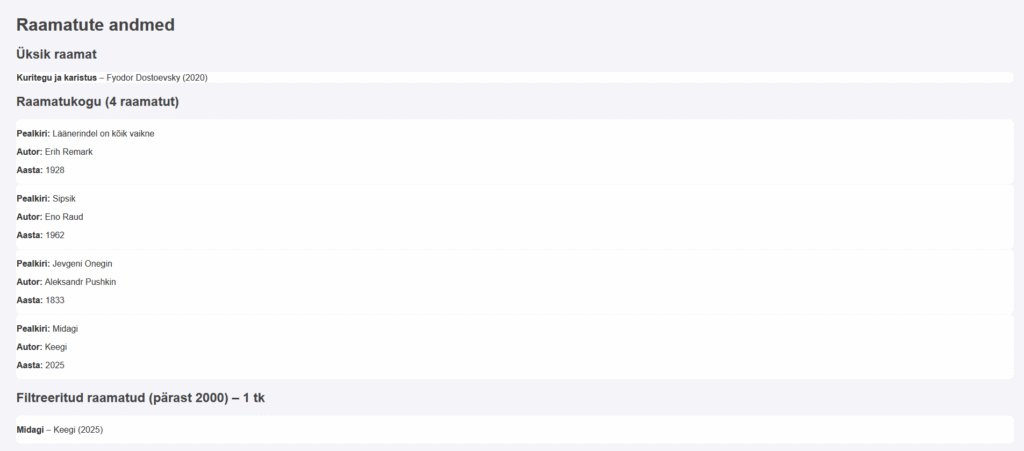
And this is the link to the work:
https://khusseintakhmazov24.thkit.ee/HTMLtood/ramatukogu/ramatukogu.html